Accurate booking details or a message inside a travel platform do not by themselves authorize a new payment. Compare the request with the original terms and confirm it through established travel support before entering card details or paying.
You have a real reservation for tomorrow. A message names the correct hotel and dates, says the payment failed, and warns that the room will be released unless you enter your card details again.
Those accurate details make the request plausible. They do not establish that the new payment destination is authorized. For a business traveler, the next step should be a short check with the original booking record and an established travel-support route.
A genuine platform can carry an unauthorized request
Secureworks incident responders investigated an October 2023 attack involving Vidar malware at a hotel. After malware execution, an employee observed messages sent to upcoming guests from the hotel’s Booking.com account. Secureworks assessed that stolen property credentials likely enabled that access. The report explains how property-account access could reveal bookings and permit direct guest messages. Secureworks research, now hosted by Sophos
That case exposes the important boundary: a platform can deliver a message from an account being misused. Opening the same message in the official app may establish where it appeared, but it does not independently approve the requested transaction.
This is social engineering using a real task as its context. The traveler expects hotel correspondence and needs the reservation to survive. The defensive check must work while that practical concern remains urgent.
Check three things before paying again
Start with the reservation you already made. Open your saved confirmation or the travel system through its usual entry point. Identify who was supposed to collect payment, when, and under which terms. A reservation described as “pay at property” may legitimately have different arrangements from a prepaid stay. A changed instruction needs review against that specific booking; no single payment rule fits all accommodation.
Find support without using the new request. For a managed business trip, use the travel provider or internal travel desk listed in the company’s established records. For a direct booking, locate the property’s or platform’s official support route independently. Do not treat a telephone number inside the suspicious message as an independent check. Our callback guide explains why the source of that number matters.
Confirm the obligation and destination. Ask whether any payment is actually outstanding, who may collect it, and which established method applies. Do not approve a request merely because someone repeats the itinerary. If the first contact cannot settle the question, keep the transaction pending and ask travel support to resolve the reservation itself.
Booking.com’s July 2026 guidance advises checking suspicious messages through the official service, avoiding external payment links, and locating contact details independently. It also recommends documenting suspected scams and notifying the bank if affected. Apply that advice alongside the booking’s actual terms, rather than assuming every property uses the same collection process. Booking.com: avoiding hotel scams
Before paying for the trip
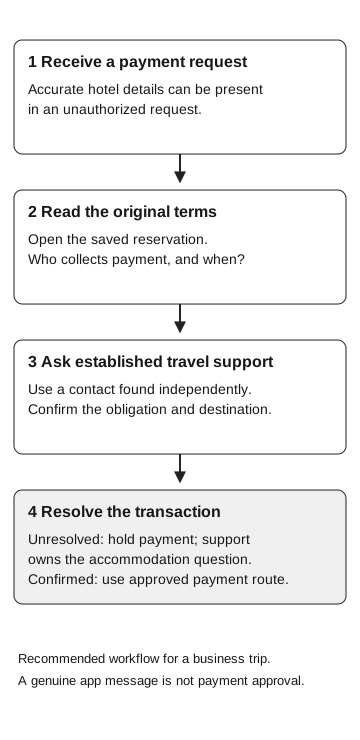
Recommended business-trip workflow
- Receive the request
Accurate hotel details can appear in an unauthorized request.
- Read the original terms
Open the saved reservation. Who collects payment, and when?
- Ask established travel support
Use an independently found contact. Confirm obligation and destination.
- Resolve the transaction
If unresolved, hold payment; support owns the accommodation question. If confirmed, use the approved payment route.
A genuine app message is not payment approval.
Give the traveler a workable next step
The travel desk should check the booking and payment arrangements through its established property contact. While a new card-verification request remains unresolved, it also owns the accommodation question, including any alternative arrangements under company policy.
This is where the workflow differs from supplier bank-detail changes. The decision may sit with a traveler holding a corporate card, outside accounts payable, near check-in time. A procedure that only says “report phishing” leaves the employee to solve the room problem alone.
Give traveling employees an after-hours contact and a clear exception owner. Check that the support team can resolve a disputed payment while also helping the traveler secure the room.
If information has already been entered
Tell the card issuer or corporate card team promptly through its established channel if card details or a payment were involved. Let that team determine the appropriate card and transaction response. Preserve the message, destination, time, and relevant booking reference for the travel provider and security team. Do not put full card numbers into a general incident ticket.
If the traveler also entered a password, downloaded a file, or granted access, report that action explicitly. Those details change which security team needs to respond. A payment inquiry alone does not establish device compromise, and a successful reservation does not establish that a card is safe.
Before the next trip, save the organization’s travel-support and after-hours contacts somewhere accessible. The traveler needs a confirmed booking and an authorized payment route, not just a warning to avoid the link.