Does Full Access let a mailbox delegate send email?
Full Access lets a delegate open and manage mailbox contents, but does not itself permit sending. Send As and Send on Behalf are separate permissions. Approve the named person, required actions, and removal plan.
“The finance manager is away. Add this colleague to the mailbox so we can finish today’s approvals.”
Before acting, ask what “add” means. Reading messages, sending as the mailbox, and sending on its behalf are different permissions in Exchange Online. A vague request can grant more authority than the task requires.
Three permissions, three different results
Microsoft uses delegate for a user assigned permissions on another mailbox or group. The common mailbox permissions work as follows:
| Permission | What it allows | What it does not add by itself |
|---|---|---|
Full Access |
Open the mailbox and manage its contents |
Permission to send from it |
Send As |
Send a message that appears to come directly from the mailbox |
Permission to read its contents |
Send on Behalf |
Send with the delegate identified as acting on behalf of the mailbox |
Permission to read its contents |
If both sending permissions apply, Microsoft says Send As takes precedence. These are Exchange Online mailbox permissions, not OAuth scopes granted to a third-party application. Microsoft: permissions for recipients
Assign the review to someone who can inspect mailbox permissions. An app consent grant is a different configuration to investigate. Our payroll inbox-concealment article covers another adjacent mechanism: rules that hide correspondence. A rule, a delegate, and an authorized application should not be treated as interchangeable findings.
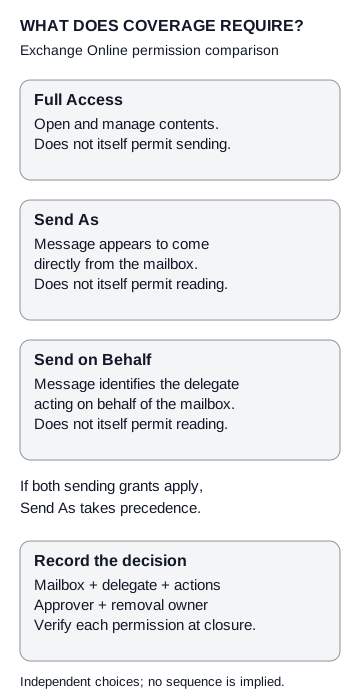
What does coverage require?
Exchange Online
- Full Access
Open and manage mailbox contents. Does not itself permit sending.
- Send As
Send as the mailbox. Does not itself permit reading.
- Send on Behalf
Send with the delegate identified as acting on behalf of the mailbox. Does not itself permit reading.
These are independent permission choices. If both sending grants apply, Send As takes precedence. Record mailbox, delegate, actions, approver, and removal owner; verify each grant at closure.
What does the colleague need to do?
Three example requests illustrate why the task needs to be specific.
“Find the supplier’s last attachment.” This asks for access to mailbox content. It does not explain why the colleague should send messages as the finance manager. Ask whether a narrower, approved way to provide the needed material meets the task.
“Send today’s status update from the team address.” This asks for sending authority. It does not explain why the colleague needs to inspect the entire mailbox history. The owner should decide which sender presentation is appropriate.
“Cover the queue while the owner is away.” This may require reading and sending. The owner should describe both actions, identify the delegate, and approve a duration. The words “temporary cover” are not a permission specification.
A security team can use these examples to test its request form. If all three become the same default bundle, the form is concealing decisions that someone should make explicitly.
Verify the person behind the request
A familiar email thread is useful context, but it is not the approval authority. Use the organization’s established directory and ticket process to confirm the request with the mailbox owner or authorized substitute. Do not let a caller define their own approver by supplying a new callback number.
Confirm the actual delegate account rather than only its display name. If a group is involved, ask the administrator to review the applicable membership. The reviewer needs to understand who will receive access through the chosen assignment.
This is particularly important for a mailbox that participates in sensitive workflows. A message from the real mailbox may still ask for an unauthorized business action. Keep the approval controls for supplier banking changes in place even when the sender address looks familiar.
Decide who will remove each permission
Write the removal task when approving the grant. Record who will remove the access, when the task comes due, and who will verify it. Do not assume that typing a return date in the ticket causes the platform to enforce that date.
The removal check should cover each permission approved. Closing the reading-access task should not accidentally leave sending authority outside the review. Ask the administrator to compare the resulting configuration with the intended end state.
If coverage must continue, the mailbox owner should approve the extension with a revised end condition. Without that review, access can remain after the cover arrangement ends.
Investigate the grant and its use
When a questionable delegate is discovered, preserve the request and identify the assignment under the approved incident process. Establish which account received which permission and which mailbox was affected. Then examine available mailbox activity for the period of concern.
Microsoft documents separate audit actions for SendAs and SendOnBehalf. It also documents auditing settings and exceptions, including user bypass and unsupported cross-geo mailbox auditing. Check the actual configuration and retention before treating a search with no results as reassurance. Microsoft: mailbox auditing
A message’s visible sender is not a complete account of who operated the mailbox. Correlate the retained mailbox records with the delegate account investigation. State which actions and time window were reviewed. If the evidence establishes an unauthorized assignment but not message activity, say that plainly.
Write an approval the administrator can implement
Name the mailbox, delegate, required actions, independent approver, and removal owner. For a request to read a supplier attachment, ask why sending permissions would be included. If they are unnecessary, keep them out of the grant.