Does releasing a quarantined email automatically allow the sender's future messages?
Release and allowlisting are separate decisions. Recipient Allow sender adds a mailbox Safe Senders entry; an administrator can also choose additional allow options during release. Inspect the action and settings actually selected.
A supplier says the purchase order is stuck in quarantine. Then comes the second request: “Please add us to the safe list so this never happens again.”
Those are two decisions. One concerns a particular message. The other changes how future messages are treated. A helpful employee can agree to the first without realizing that the follow-up asks for a broader exception.
In Microsoft 365, quarantine holds a message outside normal delivery while its status is resolved. A held message may be legitimate, so the goal is a review that can safely restore wanted mail without turning every release into an ongoing allowance.
Three actions that sound similar
Microsoft documents different actions for quarantined messages. Available actions depend on the protection verdict and the organization’s quarantine policy. A user may be able to release a message, request an administrator’s release, or have more limited access. Users cannot simply release their own malware or high-confidence phishing messages despite a permissive general policy. Microsoft: quarantine policies
Check exactly what each action changes:
- Request release: asks for a decision. It is not confirmation that the message reached the mailbox.
- Release: acts on the selected quarantined message. Check whether additional options were selected as part of that action.
- Allow sender: adds the sender to the signed-in user’s mailbox Safe Senders list when that action is available. It is not an organization-wide approval of that sender.
Microsoft’s recipient guidance describes these actions and the message details available for review. Use the organization’s established portal route rather than relying on a link supplied by the person asking for release. Microsoft: find and release quarantined messages
An administrator’s workflow can include additional choices. Microsoft documents optional false-positive submission and allow settings during release that can create Tenant Allow/Block List entries for the sender and related URLs or attachments. Check which options the administrator selected. A ticket that only says “released” leaves those additional changes unclear. Microsoft: administrator release options
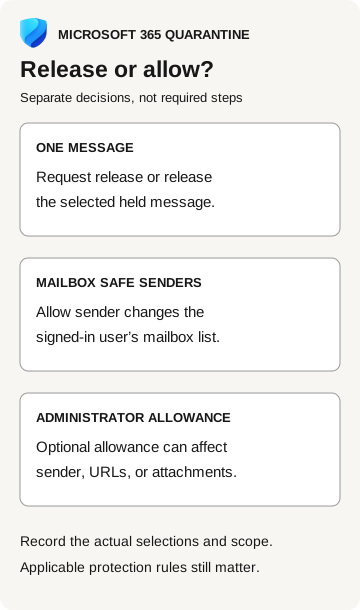
Release or allow?
Microsoft 365 quarantine
- One message
Request release or release the selected held message.
- Mailbox Safe Senders
Allow sender changes the signed-in user’s mailbox list.
- Administrator allowance
An optional allowance can affect the sender, URLs, or attachments.
These are separate decisions, not required steps. Record actual selections and scope; applicable protection rules still matter.
What Safe Senders changes
Safe Senders affects the individual mailbox. Microsoft warns that allowing senders can bypass parts of filtering, while messages identified as malware or high-confidence phishing remain filtered under the documented rules. The effect depends on the allowance type, verdict, and policy precedence. Avoid teaching either extreme: “safe sender does nothing” or “safe sender bypasses all security.” Microsoft: allowlist behavior and limits
For the reviewer, the immediate question is whether a recurring exception is needed at all. A legitimate sender can fix a delivery problem through the normal support process. The fact that a message is expected does not establish that every URL, attachment, or requested action within it is appropriate.
Our shared-document phishing guide follows a document lure to its requested action. Apply that discipline here: inspect what the released message would ask its recipient to do, not just whether they recognize the sender’s display name.
An expected order still needs message review
Procurement can confirm that a purchase order is expected. The security reviewer still needs the actual message and quarantine reason. If the message asks for an unexpected sign-in instead of the supplier’s usual delivery process, resolve that discrepancy before release.
Approve an ongoing allowance separately: who authorized it, what problem does it solve, and how broad is it? A message can be approved for release while the allowance remains unchanged. Neither an expected transaction nor a familiar sender supplies blanket approval for future messages.
Check delivery and any new allowance
After an approved release, verify the result. Microsoft notes that other filtering services and inbox rules can affect where released mail ends up. Its administrator guidance recommends message trace to investigate delivery. “Released” should not be turned into “read by the employee” or “payload executed.” Those require different evidence. Microsoft: release and delivery considerations
For a questionable release, retain the message identifiers, recipient, quarantine reason, action, actor where available, and timestamp. Ask the email administrator to check for associated Safe Senders, tenant allowance, or policy changes. If an unwanted allowance exists, record its exact scope and have its owner review removal. Avoid deleting unrelated entries because they share a familiar domain name.
The recipient should report any subsequent interaction with the message. The security team can then assess the actual link, attachment, or requested business action. Removing an allowance does not determine what happened while it was present, just as removing an antivirus exclusion does not establish whether a file previously ran.
Before release, ask: Are we approving this message, or changing how later messages will be handled? Record each approved change and its scope.